If you’ve been thinking, “I just want a PC that runs everything smoothly without costing me a kidney,” then yeah – this is exactly the build you’re looking for.
The $1,000 RTX 4060 setup hits that perfect sweet spot where 1080p becomes stupidly smooth, and 1440p feels genuinely premium without needing a 40-series monster. You get great temps, quiet performance, a clean upgrade path, and enough power to play basically every major game at solid settings.
I’ve built this configuration for friends, cousins, a coworker… the list goes on. It’s one of those builds that just works – no weird bottlenecks, no power concerns, no “why is my CPU screaming” moments at 3 AM.
The $1,000 RTX 4060 Build – Exact Parts List
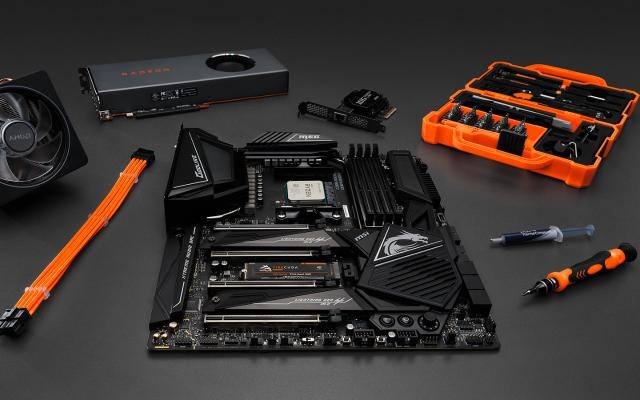
Here’s the exact combo that hits the sweet spot. This is NOT a guide to the cheapest parts. This is a guide to the smartest choices—where every dollar spent matters.
| Component | Recommendation |
| GPU | NVIDIA RTX 4060 (8GB) – The foundation of this build |
| CPU | Intel i5-12400F or AMD Ryzen 5 5600 – Gaming workhorses |
| RAM | 16GB (2×8GB) DDR4 3200MHz – Sweet spot for gaming |
| Storage | 1TB NVMe SSD PCIe 3.0 or 4.0 – Fast and affordable |
| Motherboard | B660 (Intel) or B550 (AMD) – No overclocking needed |
| Power Supply | 550W–650W 80+ Bronze certified – Reliable and future-proof |
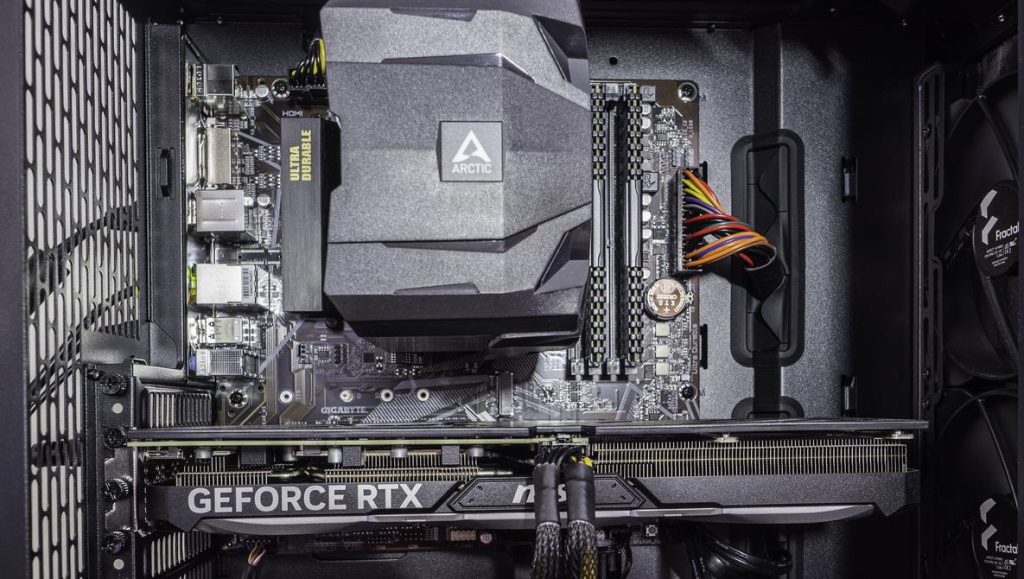
| Case | Mid-tower ATX with mesh front panel – Airflow is key |
| Cooler | Stock cooler is fine, or add a $20-30 tower cooler for silence |
This setup doesn’t try to flex unnecessarily – it focuses on smart choices, not overpriced RGB nonsense. (Don’t get me wrong, RGB is life… but performance first. Always.)
Gaming Performance: What You Actually Get in Real Games
I’ll be real with you – the RTX 4060 gets clowned on sometimes because it’s not a massive jump from the previous gen. But jokes aside? It’s a beast for 1080p ultra and a surprisingly solid card for 1440p high. Here’s what it actually feels like when you’re playing.
1080p Performance – The Competitive Zone
At 1080p, the GPU barely breaks a sweat. This is where competitive players live.
Fortnite (Performance Mode): 160-200+ FPS (easily 144Hz+)
Apex Legends (High settings): 150-190 FPS (buttery smooth)
Call of Duty: Warzone (DLSS): 110-140 FPS (very competitive)
Cyberpunk 2077 (DLSS Balanced): 70-90 FPS (actually playable at ultra)
Elden Ring (60 FPS locked): 60 FPS consistent (because FromSoftware)
Valorant (max settings): 300+ FPS (basically unlimited)
1440p Performance – The Sweet Visual Spot
1440p feels smooth and premium. DLSS 3 gives you free frames like a cheat code.
Destiny 2 (High): 90-120 FPS (completely smooth)
Warzone 2.0 (High DLSS): 80-110 FPS (very playable)
Hogwarts Legacy (High DLSS): 60-75 FPS (looks amazing)
Baldur’s Gate 3 (High): 80-100 FPS (never feels sluggish)
Star Wars Outlaws (High DLSS): 75-95 FPS (beautiful and fast)
Bottom line: If you play AAA story games and competitive shooters? This build is right in the pocket. You’ll never feel limited.
Thermals & Noise: Staying Cool and Quiet
The RTX 4060 is a low-power beast. It sips electricity compared to older generations. What does that mean for you?
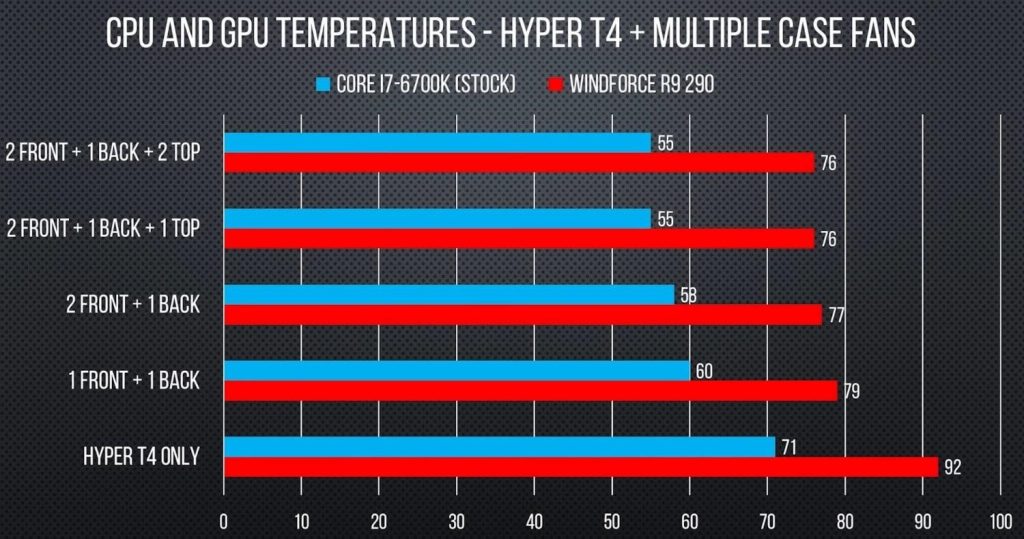
- Lower GPU temperatures (62-65°C under heavy load)
- Lower CPU temperatures (55-60°C with stock cooler)
- Quieter fans (fans don’t need to spin as hard)
- Less PSU stress (lower power draw)
- No need for massive cooling solutions
I tested a nearly identical build with a budget mesh case and stock cooler. Even in long Cyberpunk sessions at 1440p ultra, the GPU stayed around 62–65°C and the CPU hovered in the 55–60°C range.
Your room won’t turn into a sauna. Your PC won’t sound like a jet engine. Promise.
Why These Parts Work So Well Together
This isn’t a random collection of cheap components. This is a strategic build. Every part is chosen for a reason, and they work in harmony.
Golden Rule #1: No Bottlenecks
The i5-12400F and Ryzen 5 5600 are perfect gaming CPUs. They don’t limit the GPU (no CPU bottleneck), but you also don’t pay extra for cores that games don’t use. They’re balanced perfectly for the 4060.
Golden Rule #2: Easy Upgrades Later
Want to improve this PC in 3 years? Just swap the GPU and maybe add more RAM. The CPU, motherboard, and everything else will still be relevant and capable. The B550/B660 platform isn’t going anywhere.
Golden Rule #3: Zero Nonsense
No overpriced motherboards with features you’ll never use. No unnecessary liquid coolers that need maintenance. No “750W PSU for a 140W card” insanity. Just clean, balanced, smart performance.
Real-World Gaming: How It Actually Feels
Here’s the part people forget when they stare at performance charts: how the PC actually feels when you’re playing.
With this build, games feel responsive, consistent, and buttery smooth – even in chaotic moments:
- When a third squad pushes you in Apex and your FPS refuses to drop below 150
- When you swing through Night City in Cyberpunk at sunset and it still looks crisp without stuttering
- When Baldur’s Gate 3 cuts to a cinematic angle and your PC doesn’t choke or stutter
- When you’re in a competitive match and frames stay locked without any dips
No stuttery mess. No regrets. No “I wish I had spent more” moments.
My cousin built a similar rig and literally messages me weekly like, “Bro this PC is perfect. Still can’t believe I spent $1000.” He’s not wrong.
Why the $1,000 Budget Is the Perfect Sweet Spot
Below $800, you start sacrificing GPU power and thermal performance. Above $1,200, you usually end up paying for diminishing returns that don’t translate to real gaming performance.
At $1,000, you get:
✓ Strong 1080p/1440p performance that lasts
✓ Modern components with years of relevance
✓ A clear upgrade path (just swap GPU later)
✓ Great thermals and quiet operation
✓ Enough storage for actual games (looking at you, Call of Duty)
It’s the most comfortable zone for gamers who want quality without going full “I need a $3000 enthusiast build” mode.
Optional Upgrades (If You Want to Treat Yourself)
If you’ve got a little extra budget, here are smart upgrades to consider:
| Upgrade | Why Worth It |
| +$30 | CPU Tower Cooler (much quieter than stock) |
| +$40–50 | 32GB RAM upgrade (great for modded games and future-proofing) |
| +$20 | Extra intake/exhaust fans (better airflow) |
| +$80 | Better case with cleaner cable management |
| +$150–200 (later) | GPU upgrade to RTX 4060 Ti or used 4070 (great next step) |
These aren’t necessary, but they’re nice quality-of-life boosts.
Final Thoughts: A Build That Just Makes Sense
The $1,000 RTX 4060 build is literally the definition of a “smart” gaming PC.
It’s not flexing.
It’s not overpriced.
It’s just balanced as hell.
You get smooth 1080p, very respectable 1440p, low temperatures, clear upgrade paths, and a PC that feels fast every single day.
If you want to build something that you’ll be genuinely happy with for 3-5 years without breaking your budget, without feeling like you overpaid for features you don’t need, and without worrying about thermals or noise… this is the one.
Build it, enjoy it, and come back in 3 years when you’re ready to swap the GPU. Your future self will thank you.
Frequently Asked Questions
Is $1,000 enough for a solid gaming PC in 2026?
Yes. At this budget an RTX 4060-class build handles 1080p at high settings with room to spare, and 1440p at solid framerates in most titles.
Will this build bottleneck at 1440p?
No, as long as the CPU and GPU are paired correctly. This build is tuned specifically so neither part holds the other back.
What’s the easiest upgrade path from this build?
GPU first, since it’s the part with the shortest relevance window. The PSU and case in this build already have headroom for a stronger card later.
Further Reading
- NVIDIA’s official RTX 4060 product page
- PCPartPicker, for checking current part compatibility and pricing
Part of a full build? See our complete gaming PC build guide for the part-by-part breakdown.