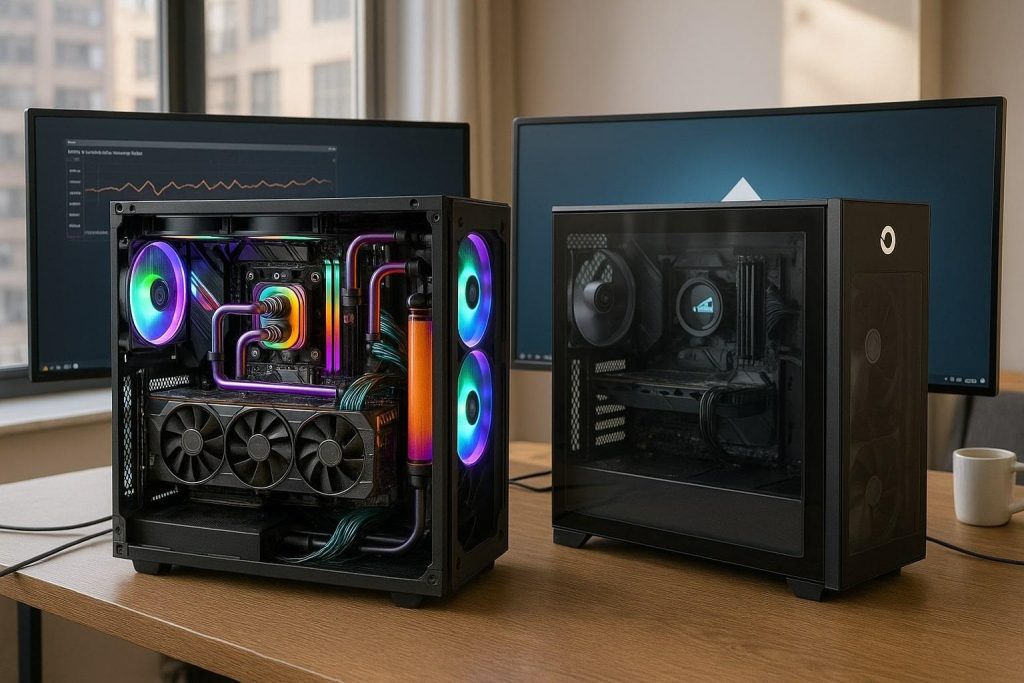
If you’ve ever streamed a game and suddenly heard your PC fans roar like a jet engine, you know exactly how embarrassing it is. Your viewers hear it. Your microphone picks it up. Your teammates ask, “Bro, are you launching a rocket?” The chat spams laughing emojis. And you’re sitting there, frustrated, wishing you’d just built this differently.
This guide is for streamers, content creators, and anyone who wants a quiet, cool PC that doesn’t sound like it’s fighting for its life every time you load a game.
The good news? Building a silent streaming PC isn’t expensive or complicated. It’s just about understanding the right approach and making smart component choices.
Why Quiet Builds Matter for Streamers
Streaming is demanding — on your CPU, GPU, and especially your audio setup. Here’s why a loud PC becomes a real problem:
A Loud PC:
- Ruins your microphone audio quality (viewers hear fan noise instead of you)
- Overheats during long streaming sessions (performance drops)
- Distracts your concentration (can’t focus on the game)
- Breaks immersion for viewers (they’re watching your gameplay, not listening to fan noise)
- Reduces stream professionalism (looks like you don’t care about quality)
- Forces you to turn up mic gain (introduces more background noise)
A Quiet Setup:
- Crystal clear microphone audio (viewers hear you, not fans)
- Stays cool even during 8+ hour streams (no thermal throttling)
- Lets you focus on gaming and entertaining (zero distractions)
- Feels professional and polished (viewers notice the quality)
- Lower mic sensitivity needed (less background noise)
- Better overall content (audio is 50% of streaming experience)
The Secret: Airflow First, Silence Second
Here’s where most people get it wrong. They buy “silent cases” with thick acoustic padding, zero ventilation holes, and soundproofing foam everywhere. Sounds great in theory, right?
Wrong. Silent cases with bad airflow become HOT cases. Fans have to spin faster to push air through the restrictions. Faster fans = more noise. You’ve just created the opposite problem.
The correct approach:
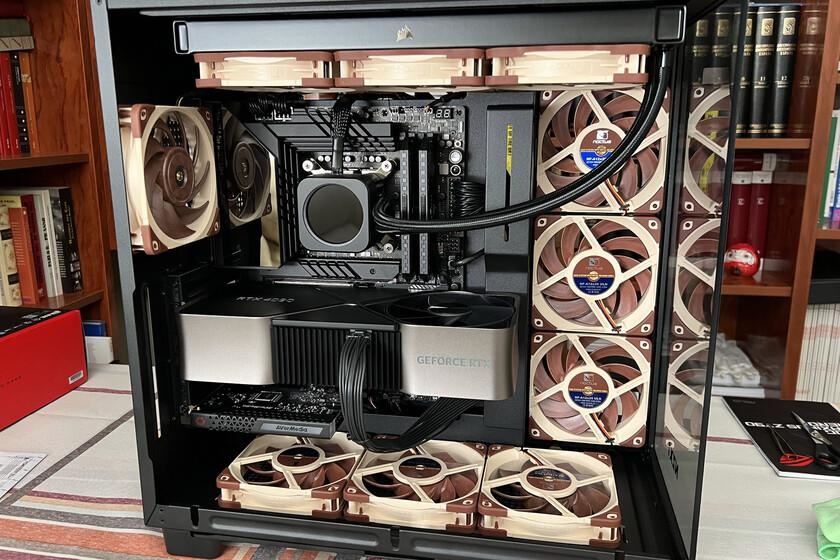
1. Choose an AIRFLOW case (mesh front panel, good design)
2. Then add QUIET fans (quality fans at low RPM)
3. Then tune FAN CURVES (let fans breathe, not struggle)
This is how you get a true silent PC that stays cool.
Recommended Parts for a Quiet High-Airflow Build
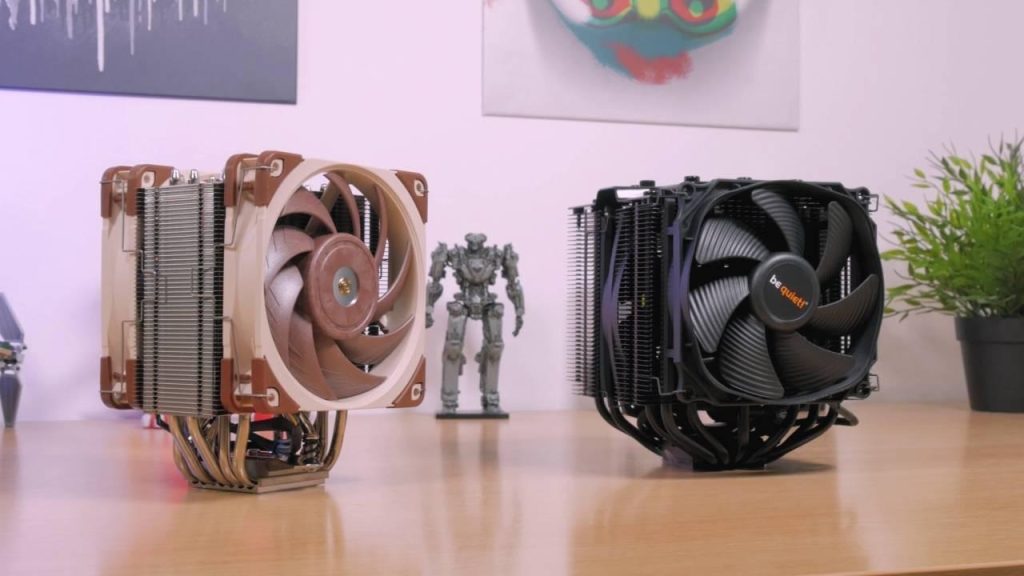
CPU Cooler: The Noise Foundation
Stock coolers get loud quickly. They’re designed to work, not to be quiet. A $30–50 quality tower cooler is the single best upgrade for silent operation.
Best options for silent streaming:
Noctua NH-D15: The gold standard – 43-47 dB at full load, incredibly quiet
be quiet! Dark Rock Pro 4: Excellent cooling, German engineering, 44 dB at full load
Arctic Freezer 50: Great value, silent, 45 dB at full load
Scythe Mugen 5 Rev.B: Budget option, surprisingly good, very quiet
Case: Airflow is King
Must-have: Mesh front panel. Non-negotiable. Period.
Best cases for silent streaming:
Fractal Design North: Excellent airflow, good cable management, 8mm acoustic padding
Corsair 4000D Airflow: Great airflow, budget-friendly, good thermals
Cooler Master TD500 Mesh: Excellent design, smooth airflow, quiet by default
Lian Li Lancool 303: Good balance, adequate airflow, simple and reliable
Fans: Quality Over Quantity
Avoid cheap fans—they whine at high RPM and sound terrible. Quality fans spin slower and move more air per RPM. That’s the secret to silent operation.
Best fans for silent operation:
Noctua NF-A12x25: Best silent fans ever made, <40 dB at full speed, premium
be quiet! Silent Wings Pro: Excellent, very quiet, <42 dB at full load
Arctic P12 PWM: Good budget option, <38 dB, great value
GPU: Low-RPM Design Matters
Look for GPUs specifically designed for quiet operation. Check reviews for dB ratings under load. Some cards stay silent while others scream.
Examples of quiet cards: ASUS Dual series, Gigabyte Eagle series, Zotac Twin Edge OC. Avoid: Founders Edition, blower-style coolers, cheap budget variants.
Power Supply: Zero-RPM Mode
Your PSU should have a “semi-fanless” or “zero-RPM” mode where the fan doesn’t spin at low loads. This prevents unnecessary fan noise during light gaming.
Quality brands with silent modes: Seasonic FOCUS Plus Gold, Corsair RM Series, MSI MPG A-Gold. Avoid cheap no-name PSUs—they add unnecessary noise.
The Secret Weapon: Fan Curve Tuning
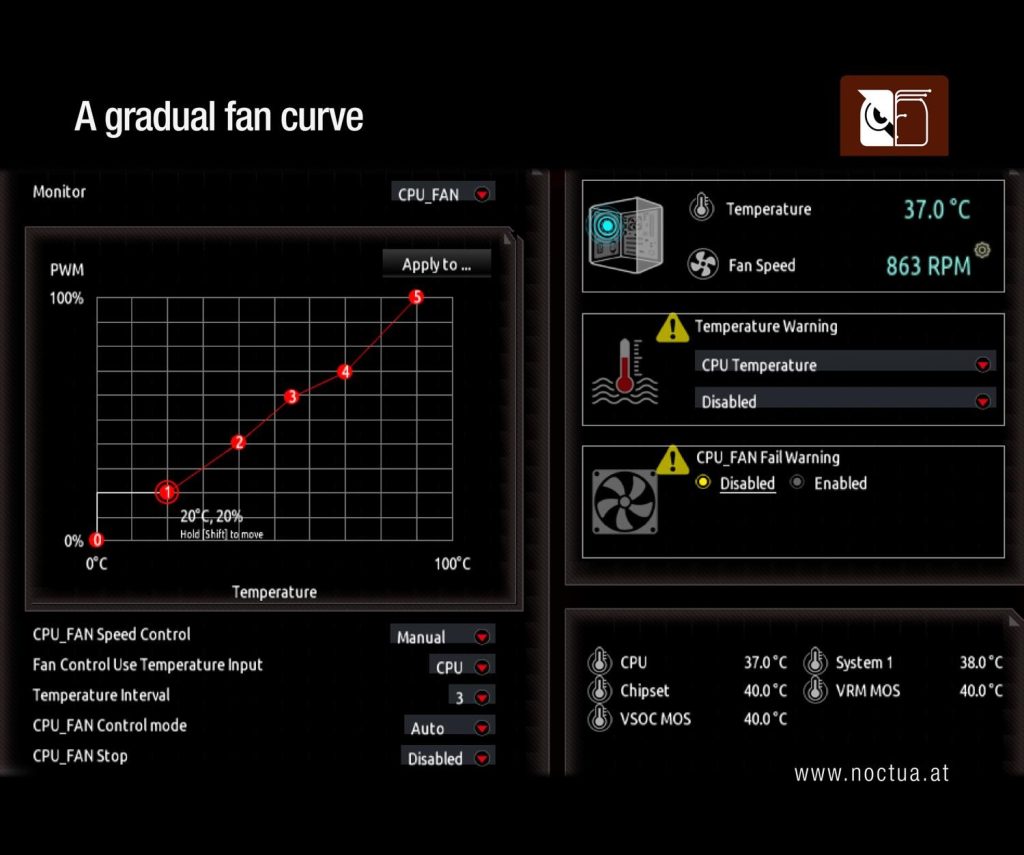
Even the best fans can sound awful with bad fan curves. If you set fans to spin at 100% at 60°C, you’ll have a loud PC. But if you create a gentle, gradual curve, you get silence.
Smart fan curve strategy:
• 0–40°C: Fans at 20–30% (basically silent)
• 40–60°C: Gradual ramp to 50% (whisper quiet)
• 60–75°C: Ramp to 70% (audible but acceptable)
• 75°C+: Full speed (rarely needed with good airflow)
This keeps your system quiet during normal gaming and only spins up when temps actually demand it.
Real Streaming Performance (What to Expect)
With proper component selection and tuning, you can expect:
| Component | Temperature Under Load |
| CPU | 55–60°C (quiet tower cooler) |
| GPU | 60–65°C (good case airflow) |
| System Noise | Barely audible, won’t be picked up by mic |
| Stream Duration | 8+ hours without thermal issues |
You’ll be shocked how quiet a well-built airflow PC can be. Many streamers say, “Is it even running?” when they first boot the system.
Real-World Streamer Story
A friend was streaming competitive games and viewers constantly complained about fan noise in chat. “Your PC is too loud bro” was the daily comment. He was frustrated, thinking he’d have to buy a new PC.
We rebuilt it: Swapped his stock cooler for a Noctua, added quality case fans, and tuned the curves. Cost? About $100 in upgrades. He launched Apex Legends after and thought the PC wasn’t running-it was SO quiet.
Chat went from complaining about noise to asking what he did. Within a week, he had more followers. Better audio = better content perception. That’s the real story.
Final Thoughts: Your Silent Streaming Setup Checklist
A silent streaming build is not expensive. You don’t need to spend $5000. You just need to make smart choices:
- ✓ Airflow case (mesh front, good design)
- ✓ Quality CPU cooler ($30–80)
- ✓ Quality case fans ($5–10 each)
- ✓ Quiet GPU (check reviews for dB ratings)
- ✓ Semi-fanless PSU (zero-RPM mode)
- ✓ Gentle fan curves (gradual ramp, not aggressive)
Follow this checklist and you’ll get a professional, whisper-quiet rig that sounds incredible on stream. Your viewers will notice. Your chat will stop complaining. Your focus will improve. And honestly, gaming on a quiet PC is just more enjoyable.
What’s your loudest PC moment?
Ever had viewers spam complaining about fan noise? Built a silent PC and regretted it? Share your stories-the streaming community learns best through real experiences.
Frequently Asked Questions
Can a gaming PC really be silent under full load?
Close to it — with the right case airflow and fan curve tuning, load noise can be reduced to a barely audible hum, even during demanding streams.
Do I need liquid cooling for a quiet build?
No. Quality air coolers from brands like Noctua or be quiet! are often quieter than AIOs at the same thermal load, with zero pump noise or failure risk.
Will a silent build run hotter than a loud one?
Not if it’s designed around airflow first. This build prioritizes case airflow before chasing acoustic dampening, which avoids the classic quiet-but-hot mistake.
Further Reading
- Noctua, makers of the cooling components used in this build
- be quiet!, a leading silent PC components manufacturer
Part of a full build? See our complete gaming PC build guide for the part-by-part breakdown.