This is where preferences fight physics. You’re not just choosing a monitor-you’re choosing between responsiveness, clarity, and GPU budget. Each resolution and refresh rate combo is a different game. Let’s break it down without the marketing nonsense.
Real talk: In 2026, this decision is easier than ever because the options are actually good. All three of these choices are viable. It depends entirely on what you play and what matters to you.
1080p 240Hz: Pure responsiveness
This is the competitive player’s choice. 240Hz is noticeably different from 144Hz if your GPU can feed it. Esports culture standardized on very high refresh for a reason-the latency advantage is real.
Who it’s for:
Competitive shooters (Valorant, CS2, Apex), fighting games, anything fast-paced. If you live in esports, 240Hz is the choice.
The pros:
- Ultra-low perceived latency (literally the fastest possible response)
- Buttery smooth tracking and flick shots
- Easier to drive 240 FPS than 1440p high refresh
- VRR (variable refresh) still helps with frame rate dips
- Tiny input lag advantage you’ll actually feel
The cons:
- Visual fidelity is lowest of the three (everything looks less sharp)
- Especially noticeable on 27″+ screens (pixels are huge)
- Wasted Hz if your GPU can’t consistently hit 240 FPS
- Open-world games look bland compared to 1440p
Real take: 1080p 240Hz is for people who care more about winning than looking. And that’s valid. But if you play anything story-driven or open-world, this choice will feel blurry.
1440p 144Hz: The modern sweet spot
If 1080p 240Hz is “competitive” and 4K 120Hz is “cinematic,” then 1440p 144Hz is “balanced.” This is what most gamers should buy in 2026. It’s the Goldilocks resolution.
Who it’s for:
Most gamers. Massive clarity bump over 1080p (78% more pixels). High enough refresh to feel silky smooth. Doesn’t obliterate your GPU like 4K does. It’s the definition of “just right.”
The pros:
- 78% more pixels than 1080p (noticeably sharper)
- Looks great on 27–32″ screens (pixels are dense enough)
- 144Hz is smooth enough for 99% of games
- VRR keeps things smooth when frames dip
- Your RTX 4070 Super will crush this at high settings
- Works well for gaming AND productivity
The cons:
- Not as hyper-responsive as 240Hz for esports purists
- Not as visually stunning as 4K
- Requires decent GPU to maintain 144 FPS in demanding games
Honest opinion: If you’re unsure what to buy, 1440p 144Hz is the answer. It’s the safest, most versatile choice. You won’t regret it.

4K 120/144Hz: Cinematic clarity (heavy lift)
Welcome to the realm of “I want my games to look cinema-quality.” 4K is jaw-dropping beautiful. But it requires a powerful GPU and you’re accepting lower refresh rates. In 2026, OLED 4K monitors are finally affordable.
Who it’s for:
Big-world enjoyers. Visual snobs (I say that lovingly). Single-player story games where you want to appreciate environments. If you’re playing Baldur’s Gate 3, Alan Wake 2, or Dragon’s Dogma 2, 4K hits different.
The pros:
- Jaw-dropping detail and sharpness (night and day difference vs 1440p)
- Great HDR support, especially on OLED panels
- 4K OLED monitors are finally accessible in 2026
- Makes open worlds absolutely gorgeous
- Future-proofed for next-gen games
- Looks incredible for content creation
The cons:
- You need a powerful GPU (RTX 4080/4090 or RX 7900 XTX)
- 120–144 FPS is lower refresh (noticeable vs 240Hz)
- 4K OLED burn-in risk (mitigated in 2026 but still possible)
- Expensive (good 4K monitors start at $500+)
- Overkill if you play esports/competitive games
Real talk: 4K is incredible but requires commitment. GPU budget matters here. If you’re running RTX 4070 Super or lower, 1440p is smarter.
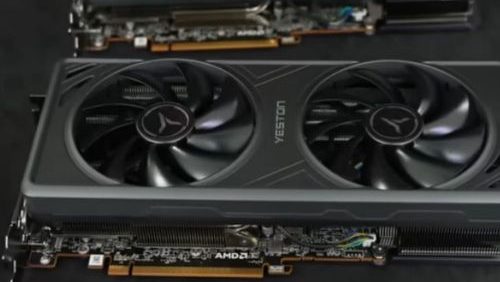
The GPU requirement reality check
Pick your resolution? Now check your GPU:
| Resolution | Refresh | GPU Need | 2026 Recommendation |
| 1080p | 240Hz | RTX 4060 / RX 7600 | Achievable with budget cards |
| 1440p | 144Hz | RTX 4070 / RX 7700 XT | Sweet spot for mid-range GPUs |
| 4K | 120Hz | RTX 4080 / RX 7900 XT | High-end GPU territory |
Rule of thumb: Your GPU should be able to push at least 70-80 FPS at your chosen resolution on high/ultra settings. If you can’t, dial back the resolution or refresh rate.
Connectivity sanity check (2026 edition)
Before you buy, check the ports:
- HDMI 2.1 or DisplayPort 1.4+ (high-bandwidth cables)
- Don’t trust the cable in the box (buy a good one separately)
- If going 4K 120Hz+, DisplayPort is more reliable
- Make sure your GPU supports the connection type
Real story: Someone bought a 4K monitor, used the included HDMI, and got flickering. The cable was the problem. Moral: get proper cables.

2026 monitor recommendations by use case
Pure esports (Valorant, CS2, fighting games)
1080p 240Hz monitor (~$200–250)
Because: 240Hz is noticeable for flick shots. 1080p is forgivable for esports. Your GPU will thank you.
Recommended: ASUS VP28UQG, MSI Optix MAG241C, BenQ EL2870U
Mixed gaming (competitive + story)
1440p 144Hz monitor (~$240–300)
Because: Best balance. Sharp enough for story games, smooth enough for competitive. Sweet spot GPU requirements.
Recommended: LG 27GP850, ASUS PA278QV, Dell S2721DGF
Visual enthusiast (story games, open worlds)
4K 120–144Hz monitor (~$400–800)
Because: Baldur’s Gate 3 at 4K is life-changing. You’re going for gorgeous, not competitive.
Recommended: LG C4 OLED 4K (if budget allows), ASUS PG27UQRM, MSI Raider 4K 144Hz
Panel type matters (2026 update)
Quick primer on 2026 monitor panels:
IPS panels
Good colors, wide viewing angles, slower response time. Better for color-critical work and casual gaming. Burn-in risk: zero. Best for most people.
VA panels
Better contrast than IPS, narrower viewing angles. Response time: medium. Decent all-around. Burn-in risk: very low. Good gaming choice.
TN panels
Fastest response time, worst colors, narrow viewing angles. Pure esports choice. Burn-in risk: none. Only if you’re competitive.
OLED panels (2026 trend)
Best colors, perfect blacks, fastest response. More expensive, burn-in risk (mitigated but possible). The future. If budget allows, OLED 4K is incredible.

Final recommendation by budget
$200–250 budget
Go 1080p 240Hz. Best value for competitive gaming. Your GPU will handle it.
$250–350 budget
Go 1440p 144Hz. This is the Goldilocks zone. Best balance of everything.
$350–500 budget
Go 1440p 144Hz IPS or 4K 120Hz VA. Pick by GPU power. RTX 4070? Do 1440p. RTX 4080? Do 4K.
$500+ budget
Go 4K 120Hz OLED or high-end 1440p 240Hz. You’re in the premium zone. Pick what matches your GPU and gaming style.
Final thoughts
There’s no “best” monitor. There’s only the best monitor FOR YOU.
Play esports? 1080p 240Hz. Play everything? 1440p 144Hz. Want beautiful? 4K. Check your GPU. Check your budget. Pick the combo that makes sense.
You’re buying something you’ll stare at for 1000+ hours. Get it right. This decision matters more than most people think.
Building from scratch? Start with our complete gaming PC build guide for the full part-by-part breakdown.
Frequently Asked Questions
Should I choose 1080p 240Hz or 1440p 144Hz?
1080p 240Hz favors competitive esports players who value raw responsiveness; 1440p 144Hz is the better all-around choice for most gamers in 2026.
Do I need a high-end GPU for a 4K monitor?
Yes — even flagship GPUs need DLSS or FSR upscaling to sustain 60+ FPS at 4K in demanding modern titles.
Does panel type matter as much as resolution?
Increasingly, yes. Panel type affects color accuracy, viewing angles, and response time in ways that resolution alone doesn’t capture.