
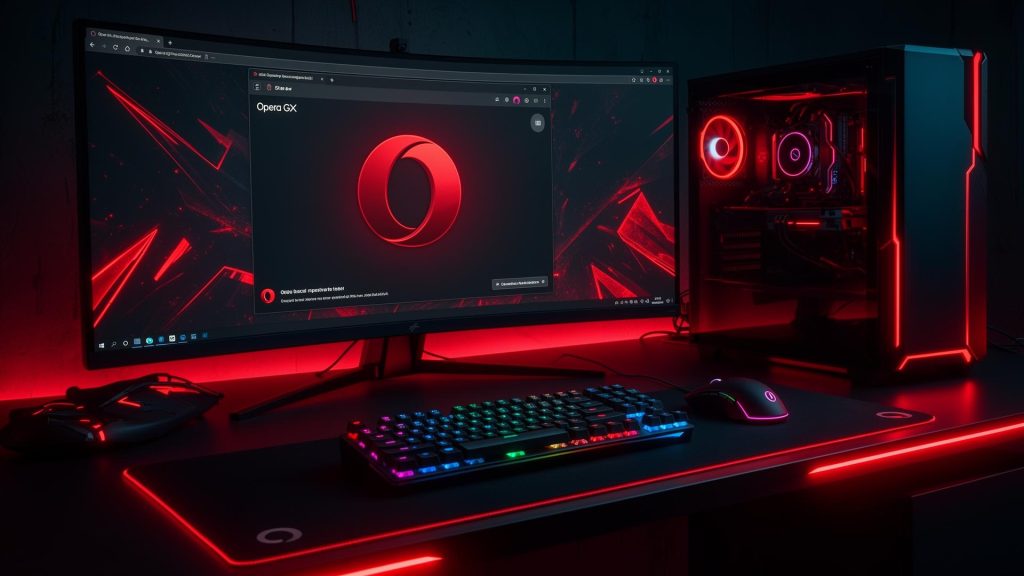
Budget Gaming Setup 2024: Building a Complete Gaming Station Under $1500
Look, I know what you’re thinking – can you really build a solid gaming setup without breaking the bank? Absolutely. You don’t need to spend $3,000+ to have an awesome gaming experience. Let me show you how to put together a complete gaming station that’ll handle modern games without emptying your wallet.
The Core: Your Gaming PC Build
Here’s where most of your budget goes, and rightfully so. For around $800-900, you can build a PC that’ll crush 1080p gaming and even handle 1440p in many titles.
Start with something like an AMD Ryzen 5 5600 or Intel i5-12400F – both are fantastic value CPUs that won’t bottleneck your gaming. Pair that with an NVIDIA RTX 4060 or AMD RX 7600 XT, and you’ve got a combo that’ll run pretty much anything at high settings.
For RAM, 16GB of DDR4 is plenty. Don’t let anyone tell you that you need 32GB for gaming – you really don’t, not yet anyway. Grab a 500GB NVMe SSD for your OS and main games, and you can always add more storage later when you catch a sale.
The case? Don’t overthink it. A $50-70 case with decent airflow is all you need. Save the fancy RGB tempered glass stuff for your next upgrade.
Display: Where Image Quality Meets Performance
This is crucial, and honestly, a lot of people mess this up. There’s no point in building a capable gaming PC and then pairing it with a terrible monitor.
For 1080p gaming, look for a 24-inch monitor with at least 144Hz refresh rate. You can find solid options for $150-200. Trust me, once you experience 144Hz, you’ll never want to go back to 60Hz. The smoothness is incredible.
IPS panels offer better colors and viewing angles than TN panels, but VA panels give you deeper blacks. For fast-paced shooters, IPS or TN works great. For immersive single-player games, VA might be your jam.
Peripherals: Keyboard and Mouse
Here’s where you can be smart with your money. You don’t need a $200 mechanical keyboard to game well. There are excellent mechanical keyboards in the $50-80 range that’ll last you years.
For the mouse, this is more personal. Some people swear by lightweight wireless mice, others prefer wired for zero latency. My advice? Go to a store and actually hold some mice if you can. Comfort matters more than RGB lighting and fancy branding.
Get a decent mousepad too – even a $15 extended mousepad makes a huge difference in mouse control.
Audio: Headset or Speakers?
For competitive gaming, a headset is the way to go. You can find solid gaming headsets with decent microphones for $40-70. Don’t fall for the “7.1 surround sound” marketing – good stereo is all you need for accurate positional audio.
If you’re more into single-player experiences and have your own space, a basic 2.0 speaker setup can be nice for when you don’t want headphones on your head for hours.
Making It All Work Together
Here’s a rough breakdown of how I’d allocate that $1500 budget:
- PC components: $800-900
- Monitor: $180-200
- Keyboard: $60-70
- Mouse: $40-50
- Headset: $50-60
- Mousepad: $20
That leaves you a little buffer for cables, maybe a cheap desk lamp, or whatever else you need. The beauty of this approach? Every component can be upgraded individually over time. Start here, enjoy gaming, and upgrade pieces as you go.
High-End Gaming Setup: Sparing No Expense for Maximum Performance
Alright, let’s talk about the dream setup – the kind of gaming station where performance isn’t limited by budget. If you’re ready to invest $3,500-5,000+ into your gaming experience, here’s how to build something truly special that’ll last you years.
The Beast: Ultra High-End PC Configuration
When budget isn’t a constraint, you’re looking at the absolute best hardware available. We’re talking Intel Core i9-14900K or AMD Ryzen 9 7950X3D for your CPU. Yes, it’s overkill for gaming alone, but if you ever want to stream, edit videos, or run heavy multitasking, you’ll appreciate the extra cores.
For the GPU, it’s RTX 4080 Super or 4090 territory. These cards are absolute monsters that’ll handle 4K gaming at high refresh rates without breaking a sweat. Ray tracing at 4K? No problem. Running demanding titles at maxed-out settings? Easy.
RAM? Go 32GB at least, preferably fast DDR5. Get 6000MHz CL30 if you’re on AMD’s latest platform – it makes a noticeable difference. And don’t skimp on storage. Get a 2TB Gen4 NVMe for your primary drive, plus additional storage for your game library.
Display Technology: 4K or High Refresh Rate?
This is the million-dollar question for high-end setups, and honestly, it depends on what you play.
If you’re into competitive shooters – Valorant, CS2, Apex Legends – you want that 1440p 240Hz or even 360Hz monitor. The responsiveness is unreal, and at this level, every millisecond matters.
But if you’re more into immersive single-player experiences like Cyberpunk, Red Dead Redemption, or racing sims? Go for a 4K 144Hz display. Modern OLED gaming monitors are absolutely stunning, with perfect blacks and incredible colors. Yes, they’re expensive ($800-1200+), but the visual experience is breathtaking.
Some people run both – a primary high-refresh 1440p for competitive games and a secondary 4K display for everything else. It’s extra, but if you’ve got the desk space, why not?
Premium Peripherals: Where Quality Shines
At this level, peripherals become more than just functional – they’re precision instruments.
For keyboards, custom mechanical keyboards are where it’s at. Whether you prefer linear, tactile, or clicky switches, there are premium options with hot-swappable switches, premium stabilizers, and that perfect typing feel. Budget $150-300 for something truly special.
Mice? Go wireless with something like the Logar G Pro X Superlight or Razer Viper V3 Pro. These things are featherlight, have flawless sensors, and the battery lasts forever. Premium wireless mice have zero perceivable latency now.
Audio: Serious Sound Quality
Forget gaming headsets at this budget level. Get a proper studio headphone like the Beyerdynamic DT 990 Pro or Sennheiser HD 600 series, pair it with a dedicated USB DAC/amp, and add a standalone microphone like a Blue Yeti or Shure SM7B with an audio interface.
The difference in sound quality is night and day. You’ll hear details in games you never knew existed, and your music will sound incredible too.
The Extras That Matter
Don’t forget about the environment around your setup. A quality ergonomic chair is crucial – you’ll be spending hours here, so get something that supports your back properly. Brands like Secretlab or Herman Miller are investments in your comfort.
Lighting matters too. Bias lighting behind your monitor reduces eye strain, and smart RGB strips can create an immersive atmosphere. Get a good surge protector or UPS to protect your investment from power issues.
Cable Management and Aesthetics
With a high-end build, presentation matters. Use cable management sleeves, get custom-length cables for your PC, and really think about your desk layout. It should look as good as it performs.
Streaming Setup Guide: Going From Gamer to Content Creator
So you want to start streaming? Whether it’s Twitch, YouTube, or Facebook Gaming, there’s more to streaming than just hitting “Go Live.” Let me walk you through what you actually need to create quality content without looking like a complete amateur.
PC Requirements: Can Your Build Handle It?
Streaming while gaming is demanding. You’re essentially running two intensive tasks simultaneously – the game itself and the encoding/streaming software.
If you’re on a single PC setup, you need serious horsepower. An 8-core CPU minimum – think Ryzen 7 7700X or Intel i7-13700K. The extra cores handle encoding while your game runs smoothly. GPU-wise, anything RTX 3060 or better works great because you can use NVENC encoding, which offloads the work from your CPU.
RAM becomes more important here too. 32GB is pretty much mandatory for streaming. Your game, OBS/Streamlabs, browser with chat, maybe Discord, Spotify – it all adds up fast.
Some serious streamers run dual PC setups where one PC handles gaming and the other handles streaming. It’s overkill for beginners, but if you’re serious about it, it eliminates any performance hit.
Camera and Lighting: Looking Professional
Your webcam is your face to the world. Those built-in laptop cameras or cheap $30 webcams? They make you look terrible. Invest in at least a Logitech C920 ($70-80) or better yet, a C922 or Brio.
Want to level up? Use a real camera. A Sony ZV-E10 or even older DSLR cameras with a capture card blow webcams out of the water. The image quality is incredible.
But here’s the secret nobody talks about – lighting matters MORE than your camera. A $100 camera with good lighting looks better than a $500 camera in bad lighting. Get a basic ring light or LED panel lights. Position them at 45-degree angles to your face. Boom, you look professional.
Microphone Setup: Sound Quality Matters
Bad audio kills streams faster than anything else. People will tolerate mediocre video quality, but they won’t stick around for terrible audio.
Start with something like a Blue Yeti or Audio-Technica AT2020USB+. They’re USB, so no extra equipment needed, and they sound way better than headset mics. Position it properly – about 6-8 inches from your mouth, slightly off to the side.
Once you’re making some revenue, upgrade to an XLR setup with an audio interface. A Shure SM7B with a GoXLR gives you professional sound quality and excellent control over your audio.
Stream Overlays and Alerts
Your stream’s visual identity matters. Free overlay templates are everywhere – Streamlabs, Nerd or Die, Own3d all have options. Customize them to match your brand.
Alert systems keep viewers engaged. When someone follows, subscribes, or donates, having visual and audio alerts creates excitement and encourages others to do the same.
Keep it clean though. Don’t go overboard with flashy animations that distract from your content. Your gameplay and personality are the stars.
Internet Connection: The Foundation
You can have the best hardware in the world, but if your internet is trash, your stream will be trash. For 1080p 60fps streaming, you need at least 10-15 Mbps upload speed. Check your actual upload speed, not download – they’re different.
Wired ethernet is non-negotiable. WiFi is too inconsistent for streaming. Run a cable to your PC or use powerline adapters if you can’t run ethernet directly.
Software and Settings
OBS Studio is free and industry-standard. Learn it. Start with 1080p 30fps if your PC or internet is borderline, then work up to 60fps when you can.
For encoding, try NVENC first if you have an NVIDIA GPU. It gives great quality with minimal performance impact. If you have CPU headroom, x264 encoding can look slightly better but it’s way more demanding.
Set up scenes ahead of time – starting soon, gameplay, BRB, ending. Having these ready makes your stream look polished.
The Reality Check
Starting out, you’ll probably stream to 0-5 viewers. That’s normal. Consistency matters more than equipment. Stream regularly, engage with whoever shows up, network with other streamers, and improve gradually.
Don’t drop $3,000 on streaming gear before you’ve even done 10 streams. Start with decent equipment, prove to yourself you’ll stick with it, then upgrade as you grow.

